











Community Edition marks a new, free entry point into Rierino Core at a time when more teams are realizing that agent demos and agent systems are not the same thing.
A working prompt, a model connection, or even a successful tool call may be enough to show early potential. But once AI is expected to operate inside real business processes, the focus shifts quickly. The question is no longer only whether the model can respond. It is whether the surrounding system can execute through workflows, rules, queries, integrations, APIs, and controlled backend logic.
That is the problem Rierino Core has been built around from the beginning. Our platform approach has focused on execution-first development: combining workflows, reusable backend services, internal tools, integrations, and AI-enabled orchestration in one environment. Community Edition makes that approach more accessible as a starting point, giving teams a practical way to begin working with Rierino Core and apply it to real use cases earlier.
The introduction of Community Edition was also covered in our recent press announcement, which framed it as a more accessible entry point into Rierino’s broader execution-first platform approach. In this article, the goal is to go beyond the announcement itself and look more closely at what Community Edition gives builders access to, who it is for, and where it fits in the wider shift toward more practical agentic development.
In this article, we’ll cover:
- what Community Edition is in practical terms
- who it is designed for
- how it differs from chat-first, workflow-only, or UI-first starting points
- five useful ways to start building with Rierino Core
- where MCP, integrations, internal tools, and composable services fit into the picture
What Rierino Community Edition Is
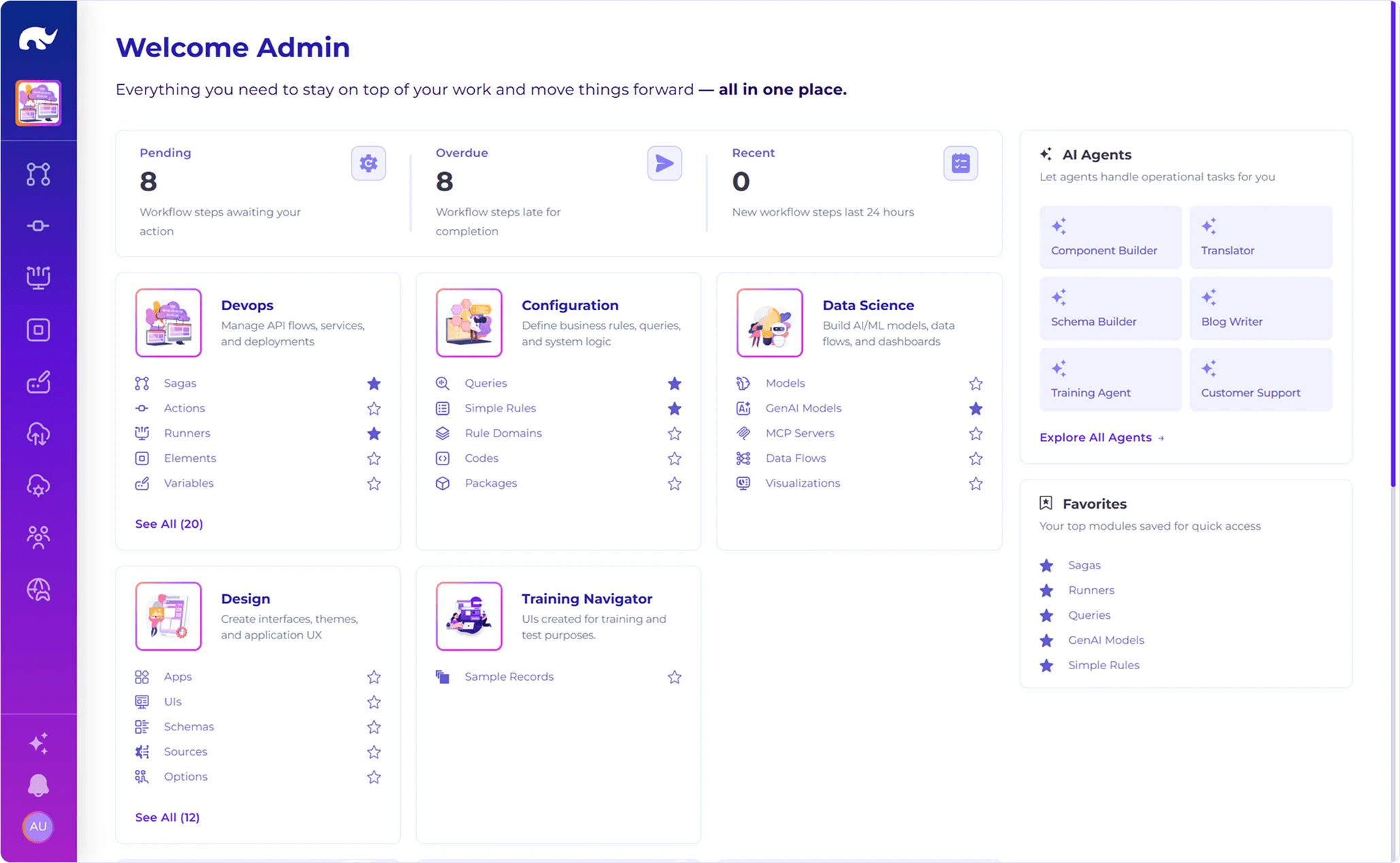
Rierino Community Edition is a free, more accessible entry point into Rierino Core for teams that want to start with the platform and experience its capabilities right away.
Offered as a single-AMI deployment on AWS, it gives developers a practical way to get hands-on with Rierino Core while also giving enterprise teams a simpler path to explore where the platform fits within their wider architecture and delivery model. What matters here is not only easier access, but the kind of platform teams are entering. Rierino Core has been built around an execution-first approach from the beginning, bringing together workflows, backend services, APIs, integrations, internal tools, rules, queries, and AI-enabled capabilities in one environment.
That gives Community Edition a clear role. It is a practical starting point for teams that want to move from interest to implementation and begin working with the platform in a form that is easier to adopt early, but still closely connected to the broader Rierino Core model.
The role of Community Edition is simple: make it easier to start working with Rierino Core in a way that is useful from the beginning.
For developers, that means getting closer to the work itself: building an agent, shaping an orchestration flow, creating a smart internal tool, or exposing reusable backend functionality. For technical leaders, it means the platform can be considered in a more grounded way — not only as a strategic concept, but as something that can be understood through actual use.
Who Rierino Community Edition Is For
Rierino Community Edition is designed for teams that want to build with more structure from the start, especially where AI, workflows, integrations, internal tools, or reusable backend services are part of the plan.
That includes developers who want to get hands-on quickly, without reducing the work to prompts and isolated tool calls. It also includes enterprise architects, technical leads, and digital teams who need to understand how a platform like Rierino Core fits into a wider delivery model before they make bigger architectural decisions.
The right fit for Community Edition is not defined only by enterprise scale, but by the kind of system a team wants to build from the start.
In addition to large transformation programs, Community Edition is also relevant for smaller product, platform, and engineering teams that are moving fast, but still want a stronger foundation underneath what they build. In practice, that can mean anything from an internal operations tool with AI-assisted actions to an agentic workflow, an integration layer, or a composable backend service that needs to be fully operational from the beginning. This makes it particularly relevant for a few recurring team profiles:
- Developers and technical builders who want to start shaping real use cases rather than staying at the level of demos
- Enterprise architects and technical decision-makers evaluating how execution, orchestration, and AI-enabled capabilities fit into broader platform thinking
- Platform, integration, and digital product teams building workflows, APIs, internal tools, or reusable backend logic across systems
- Lean but capable engineering teams that need to move quickly while keeping a clearer architectural path in view from the start
What connects these groups is not company size alone. It is the kind of system they are trying to build: one that needs to do more than look intelligent at the surface. Community Edition is a strong fit when the goal is to create something usable, connected, and extensible early — without turning the first step into a full-scale platform program.
How Community Edition Differs from Other Starting Points
There are many ways to begin building with AI right now. Some start with a chat interface. Some start with workflow automation. Others start with a UI builder and add backend behavior later. Those approaches can all be useful in the right context, but they create very different starting assumptions about where complexity will sit.
Community Edition is designed for teams that want to begin closer to execution. That means the starting point is not only the interface, the workflow canvas, or the model connection. It is the broader environment where services, flows, tools, APIs, queries, rules, and internal experiences can be shaped together.
Not just a chat-first starting point
A chat-first approach is often the fastest way to demonstrate an idea, especially when the goal is to test prompting, tool use, or conversational UX. It is strong at showing intent and interaction early. It is less strong at defining how the system behaves once actions need to run through business rules, backend services, or multi-step logic across different components.
That is where the starting point begins to matter. If most of the real work will happen outside the chat surface, then the surrounding execution model cannot stay secondary for long. Community Edition is better suited to teams that already know the system will need structure underneath the interaction.
Not just a workflow-first starting point
Workflow tools are useful when the main challenge is sequencing a process, routing tasks, or automating handoffs. They create clarity around process flow and are often a strong fit for operational automation. But agentic development usually introduces additional demands: services need to be reused, APIs need to be exposed, data needs to be queried, and actions need to be available beyond a single flow.
That is why workflow-first and execution-first are not the same thing. A flow can coordinate a process, but it does not automatically become the full system model. Community Edition is useful when workflows matter, but need to live inside a broader platform environment.
Not just a UI-first low-code starting point
UI-first platforms are often effective when the immediate goal is to get interfaces in front of users quickly. That can be valuable, especially for internal tools or early process digitization. But in many cases, the harder and more durable design decisions sit underneath the screen: how logic is structured, how services are reused, how systems are connected, and how AI-enabled actions fit into the backend model.
This is where UI-first approaches can start to feel limiting for more backend-heavy use cases. Community Edition is a stronger fit when the interface is important, but not the main center of gravity.
Community Edition starts closer to the system teams are actually trying to build — where execution, reuse, and orchestration need to develop together from the beginning.
| Starting point | Usually begins with | Strongest when | Less suited when |
|---|---|---|---|
| 💬 Chat-first | Prompt, model, tool call | The goal is fast interaction design | Backend execution matters early |
| 🔄 Workflow-first | Process steps and routing logic | The main problem is process automation | Reusable services need equal weight |
| 🖥️ UI-first | Screens, forms, frontend assembly | Interface delivery leads the work | Backend design drives the system |
| 🧩 Community Edition | Execution-first platform environment | The system needs structure from day one | A lightweight demo is enough |
That distinction matters because the first step shapes what gets built next. A starting point that is too narrow can still produce impressive early results, but it may not reflect the system a team is actually trying to create. Community Edition is useful when the goal is to begin in a way that stays closer to the eventual shape of the solution.
5 Practical Ways to Start Building with Community Edition
The most useful way to approach Rierino Community Edition is not to start with the full platform map. It is to start with the first thing you actually want to build.
That could be an AI agent, an internal tool, an integration flow, or a reusable backend service. The point of this section is not to recreate the documentation step by step. It is to make the starting options easier to recognize, so teams can choose a path that matches the kind of work they want to begin with. That is also how the quick-start guidance is structured: around common build goals, supported by examples, exercises, and videos where they add the most value.
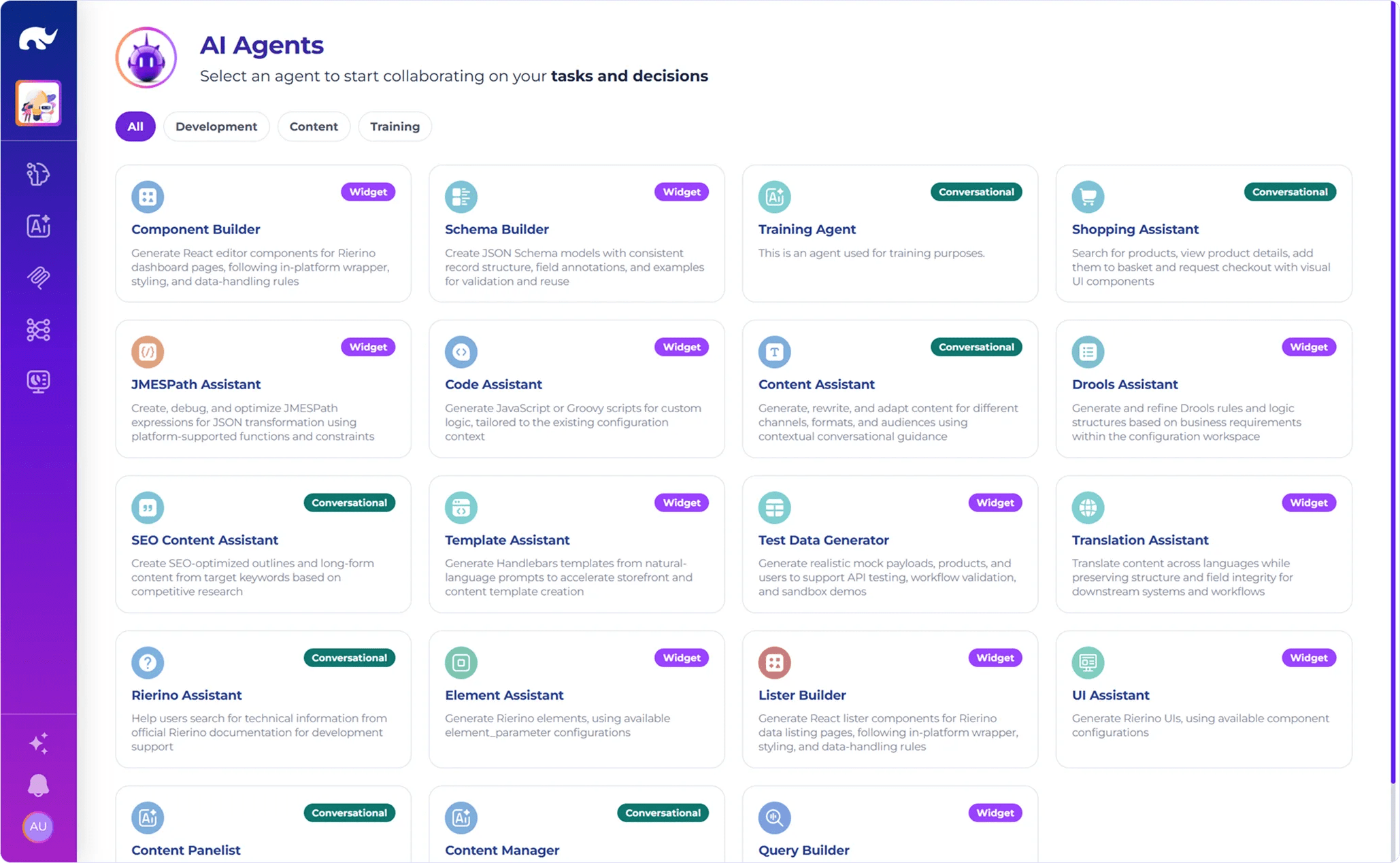
1. Build and Run an AI Agent
For many teams, this is the most natural place to start. It makes the idea of agentic development tangible quickly, while still showing that the agent is part of a broader system rather than just a prompt layer.
🎯 Best starting point when
This path is a strong fit when the first question is not “Can we connect a model?” but “Can we make an agent do something useful inside a real workflow?” That could be an operations assistant that retrieves account or order context before suggesting the next action, or a support-side assistant that helps staff complete a guided process instead of just generating text. Starting here gives developers something concrete to shape early: tool access, controlled actions, and a clearer sense of how agent behavior fits into the surrounding platform model.
💡 A good first use case
A practical first build could be an internal assistant that helps a team complete repetitive operational steps with better context and less switching between systems. For example, instead of asking an agent open-ended questions, a team might create one that helps validate a request, pull the right data, and trigger the next defined action. That makes the exercise more relatable from the start: not “what can the model say,” but “what can this agent help our team do?”
📚 Explore this path further
2. Build an Agentic Workflow
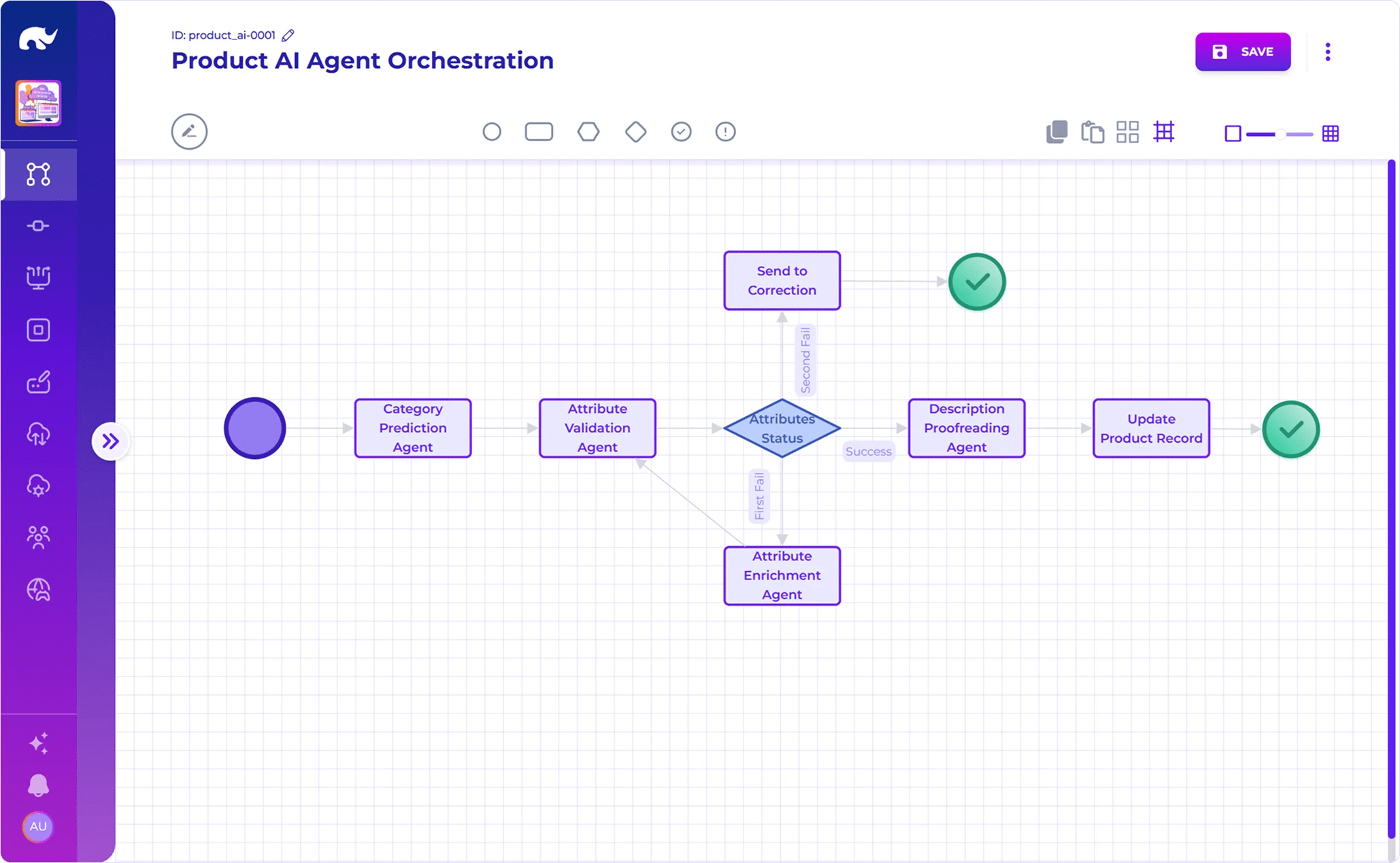
This is often the right place to start when the use case is already multi-step. Instead of focusing first on the agent itself, it starts from the flow the agent needs to participate in.
🎯 Best starting point when
This path is a strong fit when the real question is how actions should be sequenced, checked, and completed across a process. That could be an onboarding flow that gathers inputs, validates them, and routes them to the next stage, or an exception-handling flow where an agent helps classify a case before the process continues. Our quick-start guidance frames this broader orchestration need through backend services, sagas, and reusable logic, and the AI agent path explicitly combines governed GenAI models with tool sagas or tool states rather than treating agents as standalone chat elements.
💡 A good first use case
A practical first build could be an approval or intake process where not every step should be automated the same way. For example, an agent might help interpret a request, pull the right context, and suggest a path forward, while the workflow still controls validation, routing, and the final action. That makes this path especially useful when teams want to explore agentic development in a form that feels operational from the start, not just conversational.
📚 Explore this path further
3. Build a Smart Internal Tool
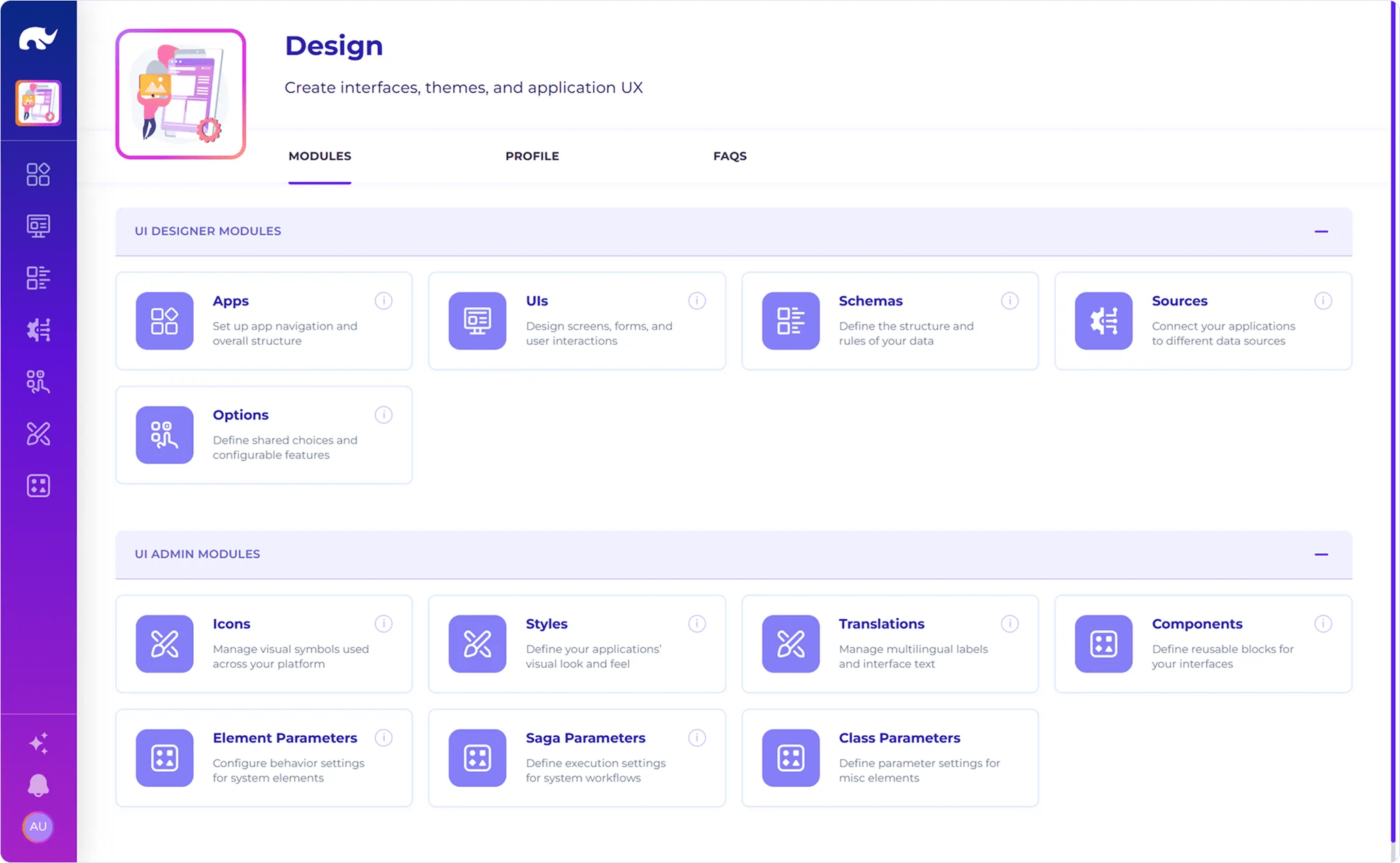
This is one of the most practical ways to start with Community Edition because it turns the platform into something a team can use almost immediately. Instead of building only backend logic in the background, this path gives that logic a usable working surface — a place where people can review information, take action, and move work forward.
🎯 Best starting point when
This path makes sense when the first problem to solve is not only automation, but also how people actually work through an internal process. That could mean an operations team reviewing exceptions, a support team handling requests, or an internal function managing records, approvals, or service actions. It is a strong starting point when the value depends on giving users a structured interface for real work, not just exposing logic behind the scenes.
💡 A good first use case
A strong first build could be an internal operations workspace where a team reviews incoming cases, sees the right context, updates data, and triggers the next action without switching between multiple tools. Another useful example is a back-office screen for approvals or case handling, where forms, status changes, guided actions, and workflow steps all need to come together in one place. This path becomes especially relevant when the internal tool is not just a display layer, but the point where process, data, and decision-making meet.
📚 Explore this path further
- QuickStart: An Internal Application
- Training Example: Create a UI Screen
- Video: Build a Functional UI in 2 Minutes
4. Orchestrate Integrations
This is a strong starting path when the first value sits between systems rather than inside a user interface. It is especially relevant for teams that need to connect services, move data across applications, or coordinate actions without turning the first build into a full front-end project.
🎯 Best starting point when
This path makes sense when the use case already depends on multiple systems working together. That could mean calling third-party APIs, combining several internal services, or handling patterns like fan-out, batching, retries, and transformations. Here, the main design problem is often not the interface but the orchestration underneath it: connecting systems cleanly, applying the right logic at the right moment, and keeping the flow dependable across multiple touchpoints.
💡 A good first use case
A practical first build could be an orchestration flow that receives a request, calls an external service, enriches the response with internal data, and then routes the result to the next step. Another realistic example is a middleware-style integration where a team needs to normalize inputs, apply a few checks, and send structured outputs to one or more downstream systems. This path is useful because it lets teams start from a problem many enterprises already have, i.e., “how do we make systems work together more reliably and with less custom glue code.”
📚 Explore this path further
- QuickStart: Multi-Systems Integration or Orchestration
- DevOps: Call Rest API
- Video: Integrate External APIs in 2 Minutes
5. Build a Composable API or Microservice
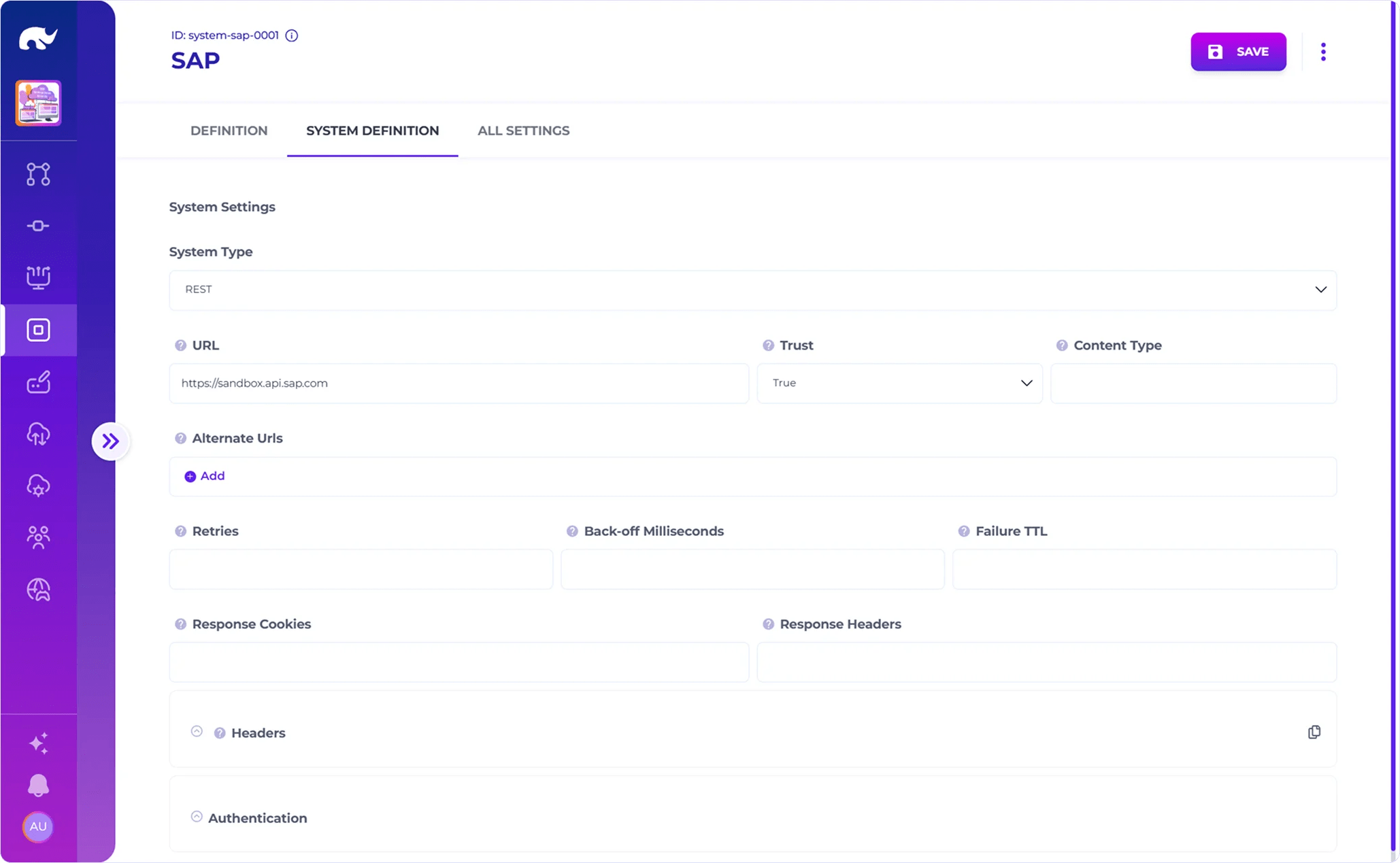
This path is a natural fit when the first thing a team wants to create is not a screen or a workflow, but a reusable backend capability. It is often one of the clearest ways to understand how Rierino Core handles service logic, because the result is something that can be exposed, reused, and built on by other parts of the system.
🎯 Best starting point when
This path makes sense when the main question is how to expose backend functionality cleanly and reuse it across interfaces, flows, or other services. In some cases, that means standing up standard data APIs quickly. In others, it means shaping a more custom endpoint with its own request, response, validation, or transformation logic. Either way, the focus is on turning business capability into something structured and reusable, not just something wired into one immediate use case.
💡 A good first use case
A practical first build could be a service that exposes product, case, or request data for use across an internal tool and an external API at the same time. Another strong example is a custom endpoint that validates incoming data, transforms it, and returns a cleaner contract for downstream systems. This path becomes especially relevant when a team wants its first Community Edition project to leave behind something durable: not just a working demo, but a backend capability that other builds can keep using.
📚 Explore this path further
- QuickStart: A CRUD service, An API Endpoint
- Training Example: Create a CRUD Service
- Video: Build Full CRUD in Under 60 Seconds
Beyond Tool Access: Building Richer Agent Experiences
Community Edition is not limited to agents that respond in text and trigger a backend action. It also gives teams a practical way to work with the broader agent model Rierino has been building: one where agents can connect to different tool and protocol patterns, and where the interaction can be shaped into something more useful than a chat response.
MCP, A2A, WoT, and Reusable Agent Logic
One of the more interesting things Community Edition opens up is the ability to explore agents beyond a single integration style. Rierino supports MCP, A2A, and WoT, along with the ability to build logic once and use it across LLMs, APIs, and IoT contexts. The practical implication is that builders are not confined to “agent talks to one software tool” scenarios. They can start thinking in terms of governed tool access, system-to-system actions, connected device interactions, and reusable flows that do not need to be rebuilt for every new agent use case.
That matters because many useful agent scenarios are not purely conversational. An agent may need to call an internal API, pass work to another agent, react to signals from a connected device, or reuse the same underlying logic in both an operational flow and a user-facing assistant. Community Edition gives teams a way to begin working with that broader execution model earlier, in a format that is easier to adopt without separating the agent idea from the platform logic underneath it.
Richer agent systems are not defined only by better prompts, but by broader connectivity and more reusable execution.
Structured Agent Interactions Inside Real Workflows
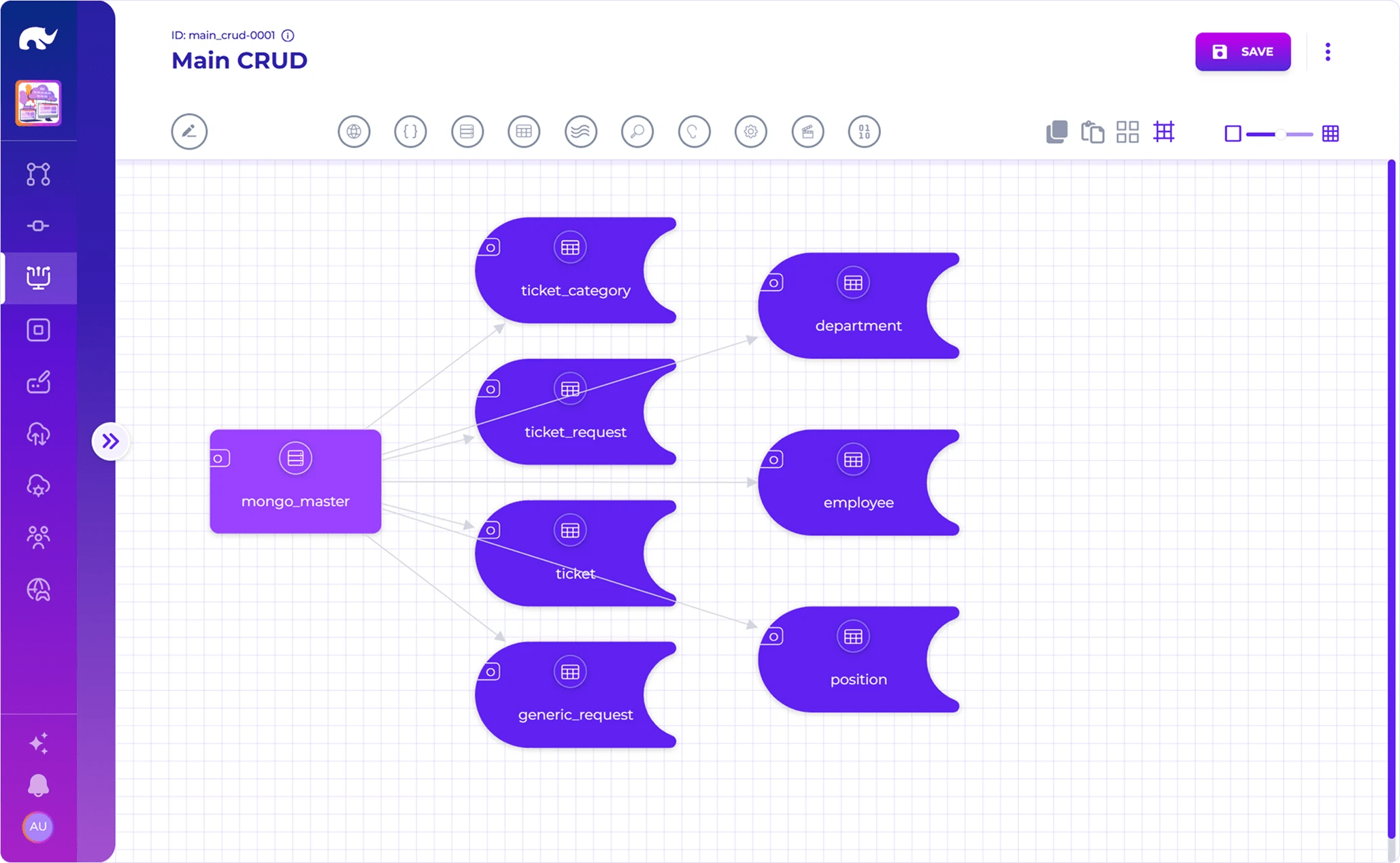
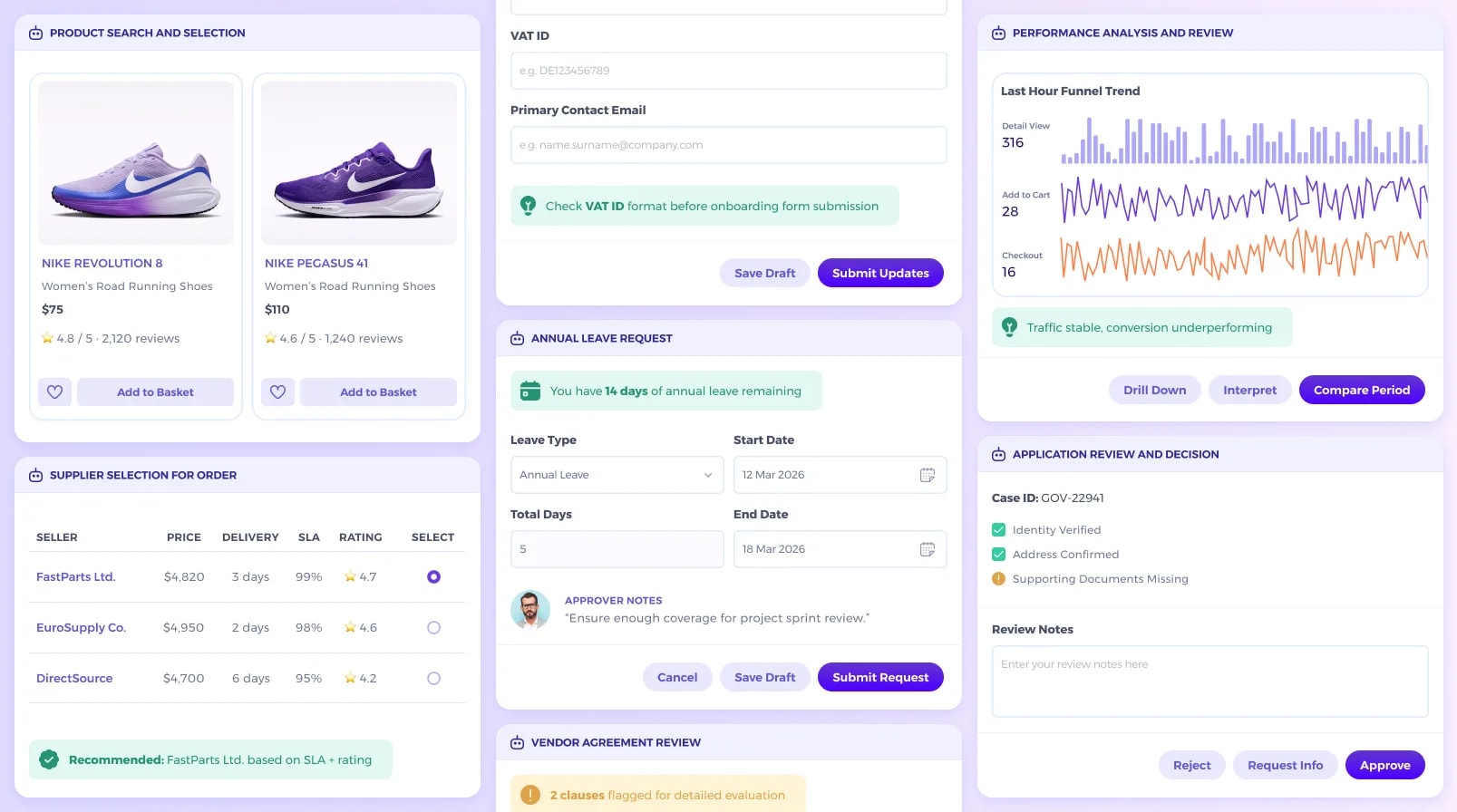
Community Edition also makes it easier to build agent experiences that do more than return text. In many enterprise use cases, the interaction needs to guide work: collect structured input, present options clearly, show what has already been validated, or move a user toward the next action with less ambiguity.
That becomes tangible in experiences like product selection, supplier comparison, VAT validation, leave requests, analytics review, and application decisions. These are not just answer-generation moments. They are working surfaces where the agent helps the user compare, choose, review, validate, and act within a more structured flow. This is where Community Edition becomes especially interesting for teams that want their first builds to feel closer to real enterprise use rather than generic agent demos.
How to Get Started with Community Edition
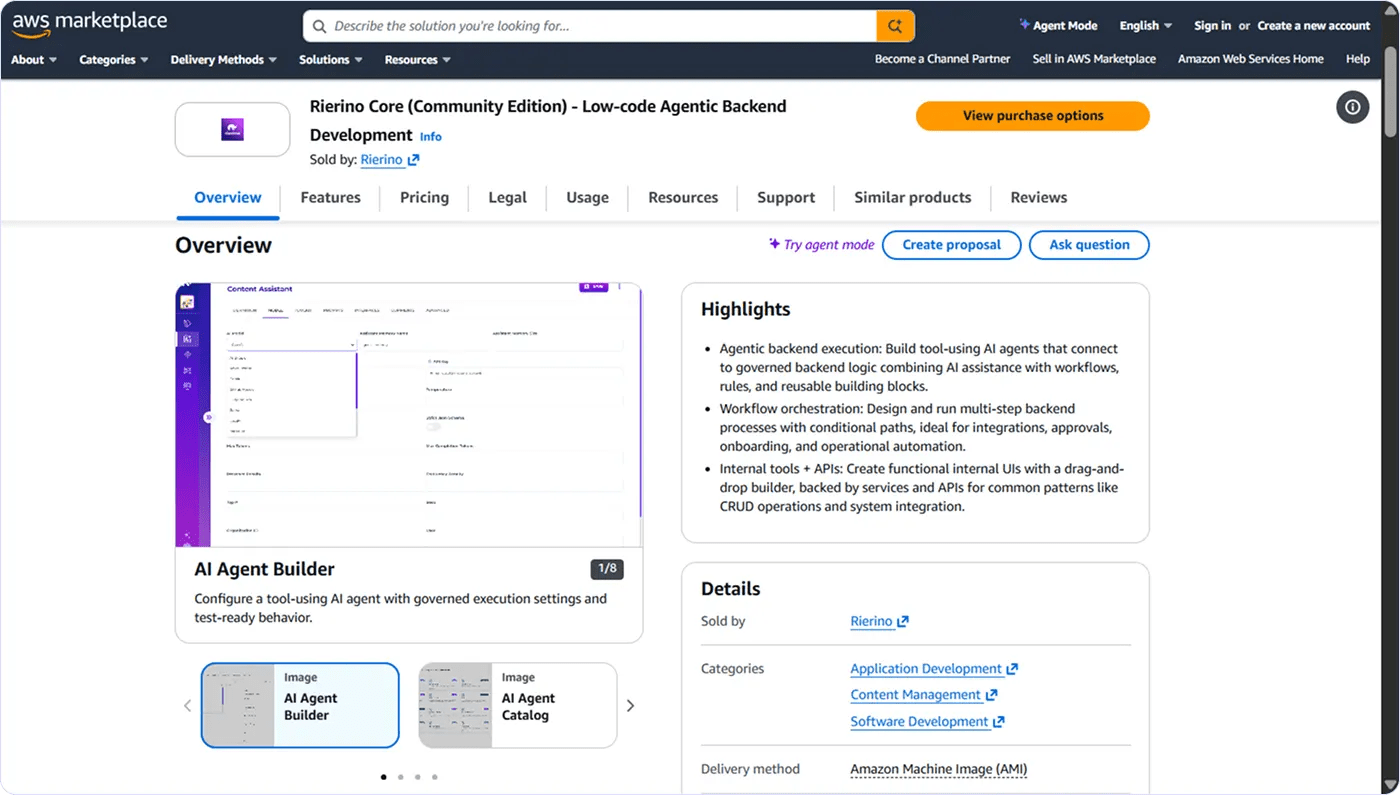
Community Edition is designed to make the first step into Rierino Core more practical. As a free offering, it gives teams a lower-friction way to get into the platform, choose a build that matches what they want to test first, and move from setup into something real.
Start in Your Own AWS Environment
Community Edition runs in your own AWS environment, which makes it a practical way to start using Rierino Core without turning the first step into a larger rollout exercise. For developers, that means getting hands-on earlier. For technical teams, it creates a more grounded way to explore how the platform behaves in practice, using their own environment as the starting point.
This makes Community Edition a strong fit for early exploration, architecture validation, MVPs, integration testing, and smaller production-oriented builds. Instead of evaluating the platform only at a conceptual level, teams can begin working with it directly and understand what the development model feels like when applied to real use cases.
Choose a First Build and Use the Right Accelerators
The fastest way to get value from Community Edition is not to start with everything at once. It is to begin with the build that best matches the question your team is trying to answer.
That might be an AI agent, an agentic workflow, a smart internal tool, an integration flow, or a reusable API or backend service. Each of these paths gives a different view into the platform, which is why the surrounding accelerators matter: documentation, training examples, exercises, and short videos help shorten the path from first access to first useful result.
Used well, these materials do not replace hands-on work. They help teams get to it faster. That is especially useful in Community Edition, where the value is not only in seeing what the platform can do, but in building something that makes its model clearer from the start.
Use Community Edition to Build What Comes Next
A first build can do more than prove interest. It can clarify architectural direction, highlight the right internal use case, show how an agent should interact with a workflow, or surface where reusable services and integrations should sit in the broader system. That makes Community Edition useful not just as an entry point, but as a practical foundation for what a stronger rollout could become later.
For some teams, that next step may still be a compact project. For others, it may lead to broader scale, governance, deployment flexibility, or a larger platform decision. Either way, the important thing is that the work starts in a form that is usable, realistic, and close enough to the real architecture to matter.
Ready to start building with Community Edition? Get started on your next use case right here and now, leveraging agentic execution-first low-code development.